
How the Arkansas Case Search Works
Search ARCourts is the public case-information portal. The Arkansas Administrative Office of the Courts runs it. Underneath it sits Contexte, the case-management system Arkansas courts use. Anyone can search. No lawyer login is needed. It is not Tybera eFlex, and it does not hold every Arkansas court file. Still, results can show participants, a judge, filings, charges and dispositions, future events, or judgments.
Search modes cover case, participant, participant detail, and organization or case description. The AOC's 2025 Search ARCourts guide labels some modes differently than the live screen does. Treat the controls table as what the AOC has documented. Where the AOC stayed silent about a required field, the table says “Unspecified.” The dynamic dropdowns do not publish every choice.
The blank Search ARCourts landing screen is the official starting point for an Arkansas public case lookup. Choose a case there first.
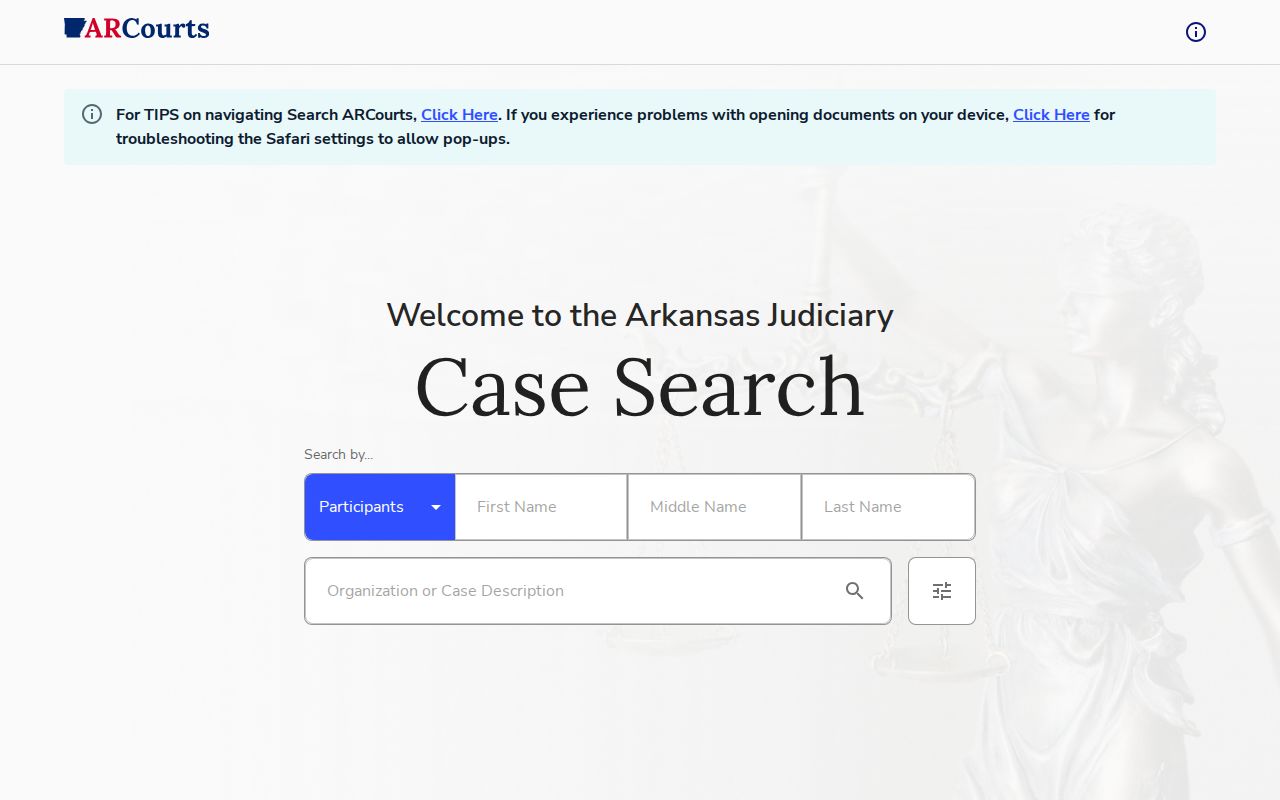
Match your search mode to the court paper in hand. Then check the court and county on the result. Only then treat it as the right Arkansas case.
- Open Arkansas Search ARCourts and choose case, participant, participant-detail, or organization search.
- Enter the full Case ID or citation, or search by the participant or organization name.
- Use filing dates, case type, docket code, county, or court location only to narrow the Arkansas query.
- Check the Arkansas court, participant, filing history, and any future event to confirm the result.
- For an official Arkansas file, missing local case, or certified copy, contact its Circuit Clerk or District Court.
| Search field or control | Type | Required? | Documented use and limits |
|---|---|---|---|
| Search by / Cases | Selector or tab | Unspecified | Case mode; help also documents participant, participant-detail, and organization search. Arkansas labels vary. |
| Case ID or Citation Number | Text | Unspecified | Enter the Arkansas identifier as printed. No universal public format is stated. |
| Start Date and End Date | Date | Unspecified | Arkansas filing-date range; no maximum range is stated. |
| Case Type | Dropdown | Unspecified | Arkansas choices are dynamic; no full public list was published. |
| Docket Code | Dropdown | Unspecified | Arkansas filter options are dynamic; no full public codebook was located. |
| County and Court Location | Dropdown | Unspecified | Filing county or Arkansas court location; current options are dynamic. |
| First, Middle, and Last Name | Text | Unspecified | Arkansas middle name may be an initial or full name if recorded; see exact-match note below. |
| Organization or Case Description | Text | Unspecified | Arkansas search accepts an exact organization, Last Name field, or part of a case description. |
| Date of Birth or Driver's License Number | Date or text | Unspecified | Arkansas Participant Detail uses either only when the value exists in the court record. |
| Clear and Search | Buttons | Not applicable | Clear controls or run the selected search. |
Arkansas Public Case Search Replaced CourtConnect
Arkansas got a new case-search tool. In January 2024 the AOC announced Search ARCourts as the replacement for Public CourtConnect. Plenty of older Arkansas links still carry CourtConnect branding. That screen is gone as the state's case lookup. The legacy CourtConnect help page now points users to Search ARCourts, and that page documents the switch.
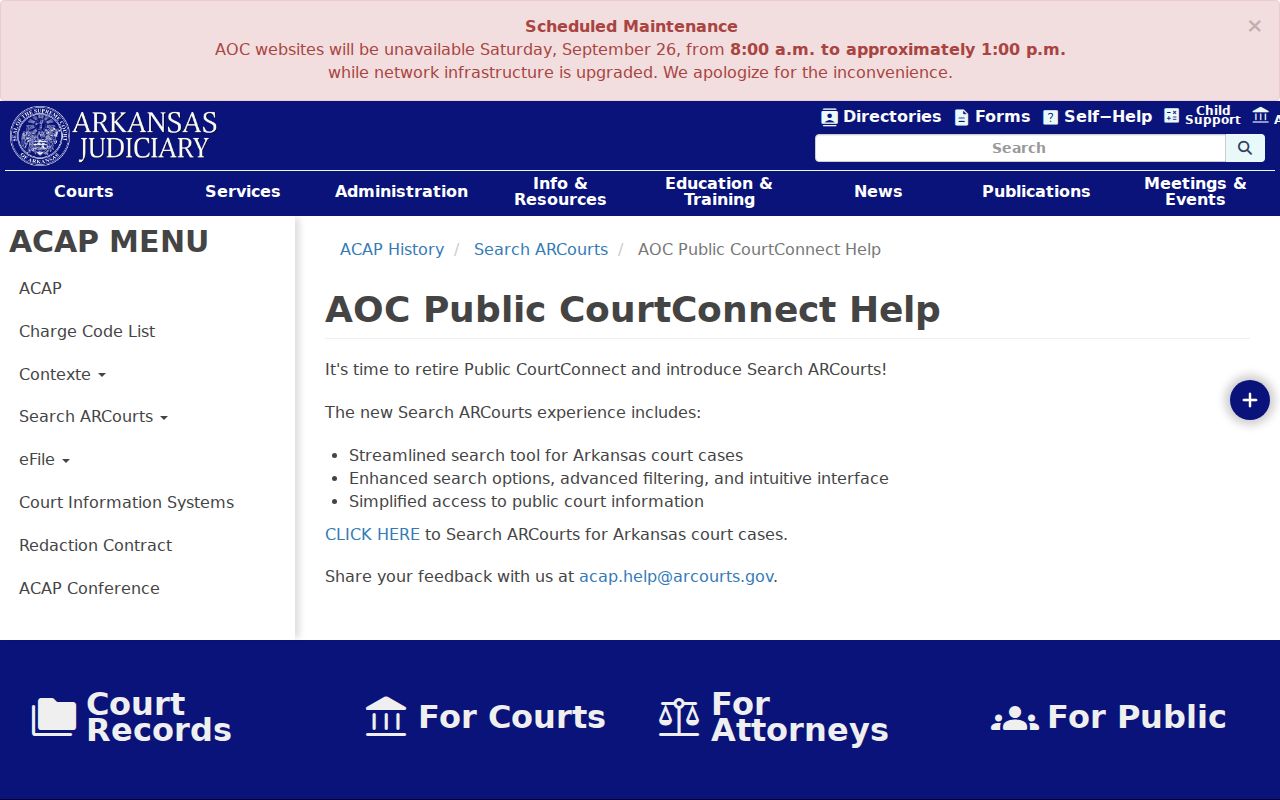
Run any new Arkansas query at the current portal, not an old bookmark. One caution applies here. The switch does not promise that older files were imported, nor that every court feeds the same level of case detail into the index.
Note: a legacy help page can explain the service change, but it does not prove that any particular case appears in the current Arkansas index.
Searching Arkansas Cases by Name
Name searching in the Arkansas portal works on prefixes, not fragments. The AOC's 2025 guide explains how. Type one or two letters and the system looks for an exact match. Three or more letters act as a prefix. That pulls in every matching Arkansas participant name plus possible aliases. A short fragment is not a wide net. It can easily miss a name that a longer prefix would catch.
Type the full first and last name whenever you can. Add a middle initial only if the record is likely to carry one. If the name does not appear, lengthen the prefix and check spelling or known aliases. Nothing in the guide documents wildcard or sound-alike matching. Organizations work differently in the Arkansas case lookup. Enter the exact name in the Last Name field, or search part of the case description. Then confirm the court and case number on the result.
Searching Arkansas Cases by Number
A case number or citation is usually the fastest route to an Arkansas docket. The portal field reads Case ID or Citation Number. Treat that as a label, not a sample format. Arkansas trial numbers vary by court and by year. Enter the full identifier exactly as it appears on the notice, citation, or filing.
Appellate numbers follow a different convention. Trial identifiers often blend a county or municipality marker with the case type, year, and sequence number. No single statewide format is published, so leave prefixes and punctuation alone. A failed docket search often means a citation was keyed as a case ID. Or the county and court location need checking. Also note that some Arkansas District Court cases never reach Contexte. Appeals carry their own separate docket.
Arkansas Case Search Filters Vary by Court
Once you reach a detailed Arkansas case search, the filters can help. They narrow by filing date, case type, docket code, county, and court location. Participant Detail accepts a birth date or driver's license number only when the record already holds that value. The dropdown menus are dynamic. No complete public list of options exists. Every Circuit Court runs on Contexte, and most add extra case information. Some District Courts take part as well. Coverage and detail are not the same thing, though. Administrative Order 8 gathers statistics from more courts than it publishes case detail for. So a filter choice is no promise the docket is there.
Tybera eFlex plays a different role entirely. It is the filing gateway for eligible attorneys and self-represented filers in participating Arkansas cases. Signing in there does not search a public docket. That job belongs to public Search ARCourts, a separate service.
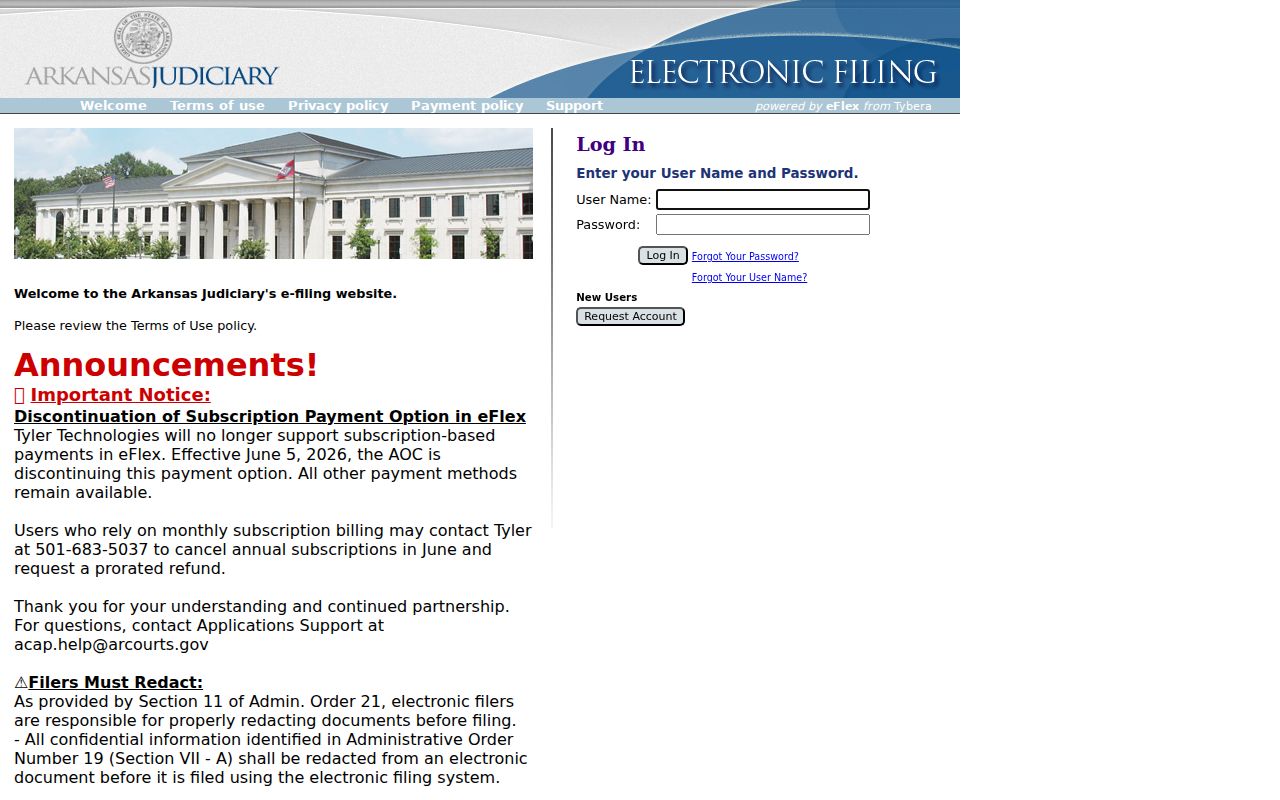
Note: Arkansas public case search, court case management, and e-filing are connected services, but each has its own job and its own access rules. Use the public portal to read case information. Use the eFlex route only for an eligible filing, following the court's current instructions.
Inside an Arkansas Case Search Result
A Search ARCourts result can pack a lot into one screen. You may see the parties, the judge, and every filing. Charges, dispositions, upcoming events, and any judgment entered can appear too. What actually shows up depends on the court, the case type, and your access status. The Contexte schema holds even more fields. Still, a stored field is no promise that each public case screen will display it.
| Case identifier and type | Identifies the Arkansas matter and category when available; numbering varies. |
|---|---|
| Participants and judge | Arkansas names and assigned judge may appear; participant search can match aliases. |
| Filings and events | Arkansas history may list filings, events, or future dates for participating courts. |
| Charges and dispositions | Criminal results may show these fields, but not every Arkansas case detail is guaranteed. |
| Judgment | A judgment may be listed; a result line is not a certified document. |
| Document link | Some entries link images; local imaging and security affect access. |
| Case status | Status may appear, but no universal public value set is stated. |
An Arkansas case search result is a summary, not the full court file. Treat each docket line as what the court chose to publish. A blank field does not prove a document is missing, and a filled field does not prove the file is complete.
Arkansas Case Results May Lack Document Links
A filing's title and its image are two different things. Search ARCourts can confirm that an Arkansas paper was filed. Yet it may offer no link to open it. Contexte sometimes connects to a document-management system. Even so, it does not hold every Arkansas document image. Local scanning choices and access settings control what appears.
A blank link does not mean the filing never existed. A working link is not a certified copy either. Ask the Arkansas Circuit Clerk or District Court clerk whether an image exists. Ask how to request it. Administrative Order 19 may restrict remote access to Arkansas court records. So a public result does not promise that every part of the file can be viewed online.
County vs Statewide Search in Arkansas
Start statewide. Search ARCourts gathers public information from Arkansas courts that participate through Contexte. But the Arkansas Circuit Clerk or the local District Court keeps the trial file. That office also issues verification or certified copies. The portal finds the case; the local office fills the gaps. Those gaps matter most for District Court records, local calendar questions, older material, and missing images.
| Question | Search ARCourts | County or local court |
|---|---|---|
| Coverage | Arkansas Contexte case detail from participating courts; some District Courts participate. | The filing court keeps its case record, including files not in the portal. |
| Detail | Case summary and available events, filings, charges, dispositions, or judgments. | The clerk can confirm the Arkansas docket and official file. |
| Documents | Some results link images if local imaging and access settings allow. | Ask to inspect or copy a public filing. |
| Certified copies | A search result is not certified. | Request certification from the clerk holding the record. |
| Other access | Public case search; eFlex is for filing. | Local Arkansas docket, phone, counter, terminal, mail, or accepted written request; procedures vary. |
Browse Counties collects local Arkansas court links in one place. The Arkansas Circuit Clerk holds Circuit Court files. A District Court's local clerk or clerk-support office keeps its records. Some court websites offer a docket, a phone contact, terminal details, or a request form. Services vary from county to county.
The AOC's Circuit Clerk directory and District Court directory list Arkansas court contacts. Appeals run on a separate docket. The appellate Clerk of the Courts handles Supreme Court and Court of Appeals records.
Note: An Arkansas search result can locate a case. But it never replaces the court-held docket or the certified record.
No Match in an Arkansas Case Search
A no-match screen is not proof that no Arkansas case exists. First, check the spelling. Check the name length, the case number, the county, and the court location. Drop any optional filters. If a county runs several courts, try District Court as well as Circuit Court. Name queries of one or two letters work only as exact matches. Enter a longer prefix or the full name.
Still nothing? Ask the clerk which Arkansas court holds the file. Ask whether it is local, older, or restricted. Search ARCourts publishes no guaranteed earliest year and no case-level refresh period for Arkansas records. Do not assume a back-to date. Do not wait a set number of days. The clerk can confirm the record and explain how to inspect a public copy.
A local clerk site may simply route case lookup back to the statewide portal. The Pulaski County Clerk home page shows a "Look up a court case" link pointing to Search ARCourts. That is one Arkansas example rather than a statewide rule.
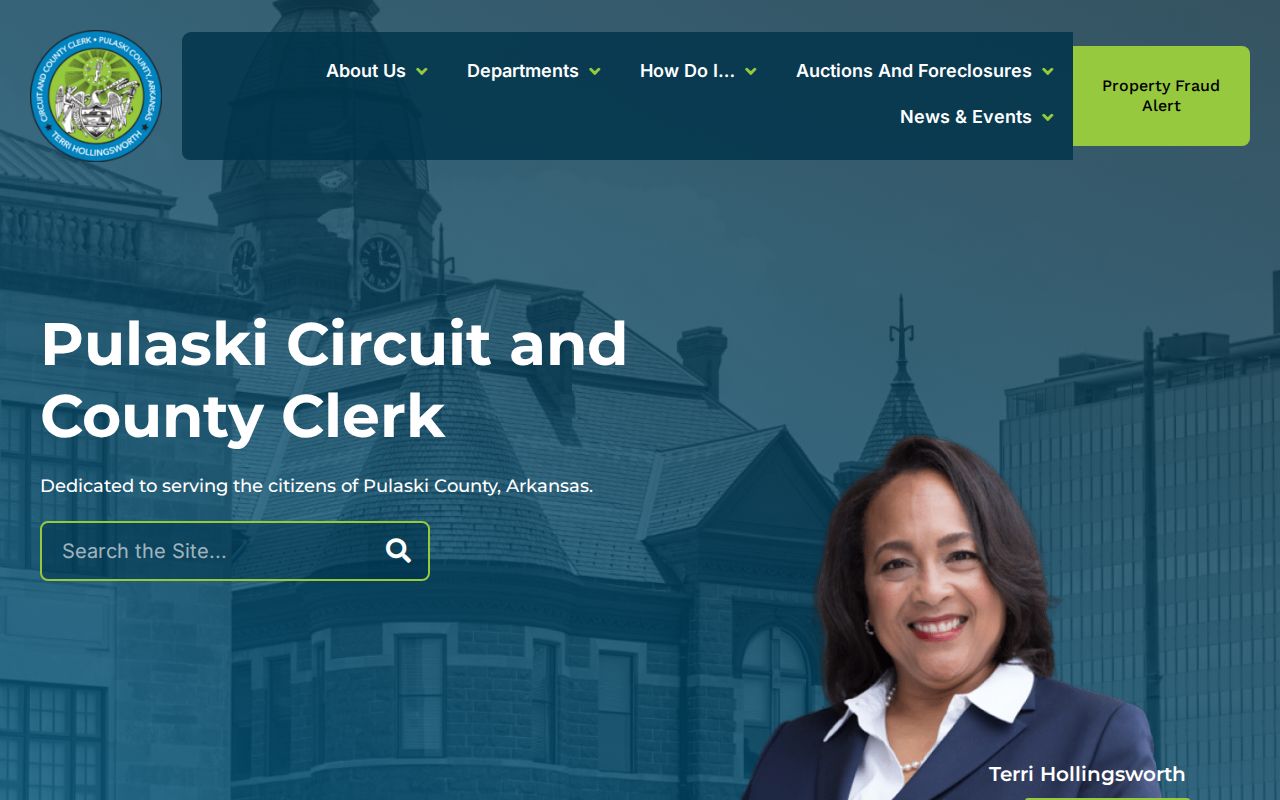
That page shows one Arkansas county's route, not a common service every court shares. For a different case, use the county directory to reach the office that holds the record.
Arkansas Case Access Rules
Arkansas Supreme Court Administrative Order 19 governs court-record and remote access. Ordinary access skips FOIA's Arkansas-citizen test and needs no stated purpose. The current administrative orders contain the full rule.
The Arkansas Attorney General's FOIA guidance explains that separate request route. An ordinary Arkansas FOIA requester must be a citizen. A written request generally draws a response within three business days, though copies are not guaranteed by that deadline. Send a clear request to the custodian. For a case file, start with the clerk, not the AOC data-request office.
Sealed, juvenile, and other excluded material may never surface in Arkansas search. The New Juvenile Code and AO19 govern protected juvenile information. Adult criminal sealing follows separate statutes and orders. A sealed case may simply not appear. Ask the court about counter inspection or its formal access process.
Online access is not the whole court file. Arkansas public search may be narrower than in-person access, and court rules or sealing orders still limit what the clerk can disclose.